Built by an adjuster, for adjusters

PhotoTag with Contents Suite

Photo labeling and a unified contents workflow — built so field photos, line items, the estimate, and the final report all live in one project. Less context-switching. Less retyping.

Try it free See how it works
No credit card required Your photos stay yours Identifiers redacted before AI
Photo Labeling
Review & Edit · 6 photos AI Labeled
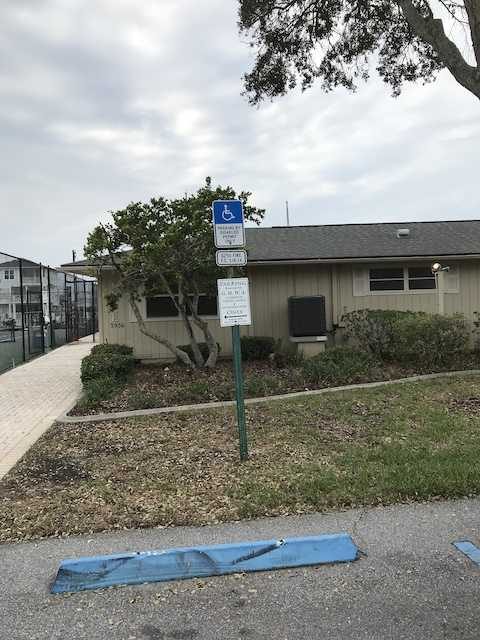
Front elevation
Front Elevation
Building exterior, ADA parking signage
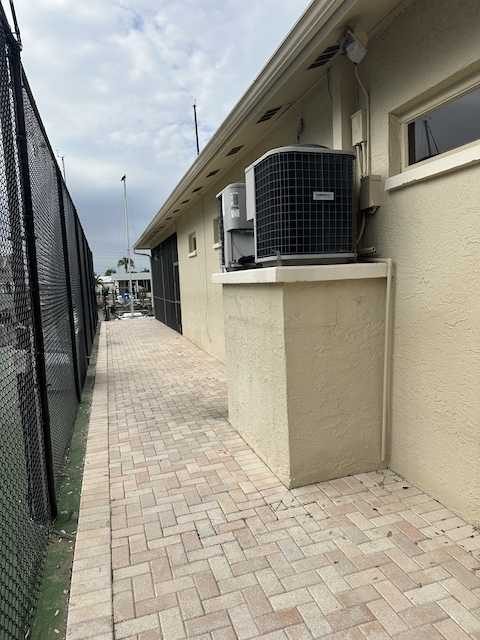
Right elevation
Right Elevation
AC condenser on side wall
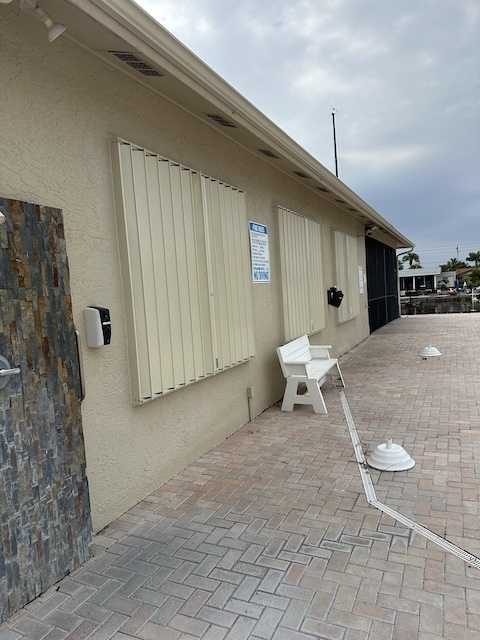
Side elevation
Side Elevation
Hurricane shutters retracted
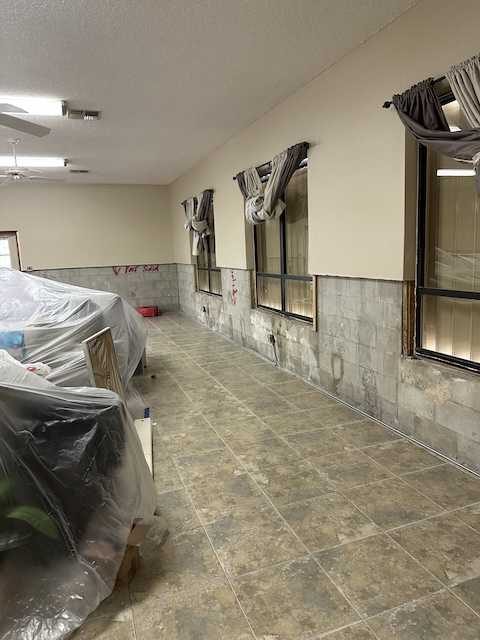
Multi-purpose room interior
Multi-Purpose Room
Drywall stripped to studs; contents covered
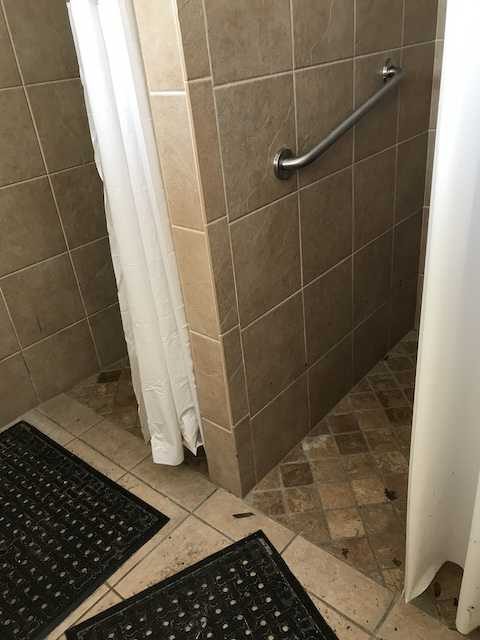
Tiled shower
Shower / Bath
Tile shower stall with grab bar
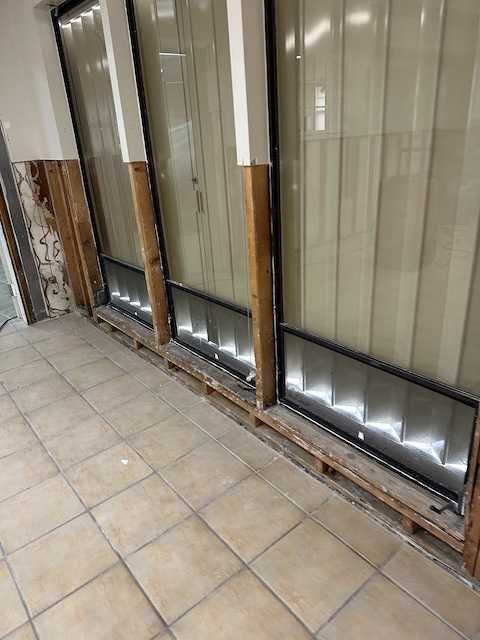
Glass partition wall
Glass Partition
Water intrusion at base of partition
Contents Suite
Contents Estimate · 51 items Photos linked
289
Office
Folding card tables, 34" x 34" 2 photos
$148.00
290
Office
Indoor/outdoor rug, 6′ 6″ x 9′ 1 photo
$219.00
291
Office
Hardback books 1 photo
$84.00
292
Office
Paperback books
$48.00
295
Office
Wicker sofa with cushions 1 photo
$540.00
298
Office
Panasonic NN-SN9605, Microwave 1 photo
$199.00
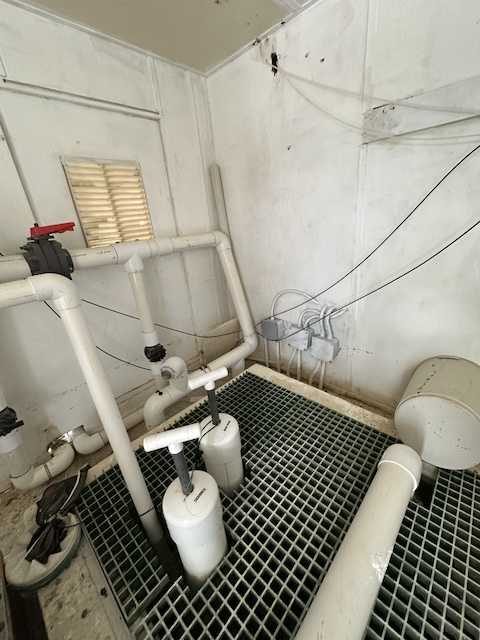
Photo Labeling

Get a first draft in seconds. Stay the editor.

Drop a stack of inspection photos. The labeler proposes a room, area, and a clean draft caption for each one, then steps back. You review, edit, reorder, and ship — without ever opening a blank document or typing the same caption twice.

  • Room and area suggestions (Front Elevation, Kitchen, Master Bedroom, Roof) with confidence indicators you can override
  • Inline review tools that respect your judgment: tag chips, hide / show, drag-to-reorder, batch area updates
  • One-click Photo Report PDF with your logo, header, and sequential photo numbers — no template wrangling
  • Optional AI Polish pass: a second-pair-of-eyes review of the rendered PDF before you send it out
Try Photo Labeling
Review & Edit
21 photos · Smith Claim
Glass partition wall, drywall removed
Glass Partition
Drywall removed at base of glass partition; water intrusion visible along wood framing.
Multi-purpose room with stripped walls
Multi-Purpose Room
Walls stripped to studs after water mitigation; remaining contents tarped for protection.
Mechanical room
Mechanical Room
PVC plumbing manifold with isolation valves above sub-floor grating.
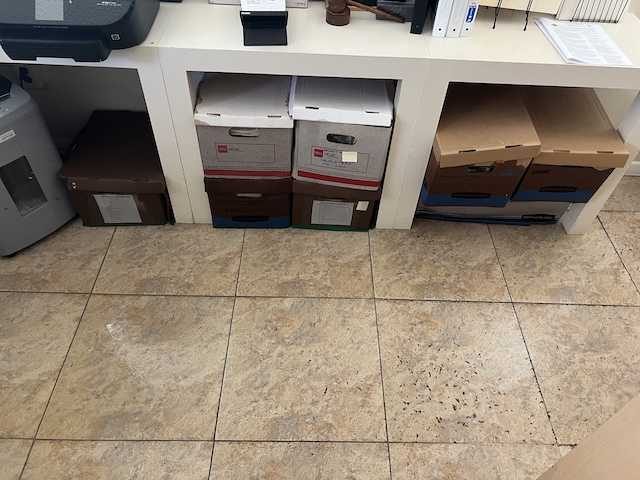
Storage shelving
Storage Room
File boxes on tile floor; lower units within the affected water line.
Contents Suite

Tag once. The whole project follows.

Four tools that used to live in four different windows now share one project. Tag a photo to a line item and the estimate, the photo report, and the price verification all stay in lockstep without you copying anything between them. The integration is the feature.

  • Tagger maps each photo to a line item by stable item ID — renumber freely, links never break
  • Edit descriptions, qty, depreciation, or tax once on the estimate. Tagger and report pick it up on the next save
  • Price Verify cross-checks your unit costs against current market data — you decide which prices to accept
  • Photo Report generates the numbered “Line N. description” PDF that mirrors your estimate exactly
  • One project folder groups everything — close it together, reopen it together, no scavenger hunt
Try Contents Suite
Contents Tagger
Tagged · 16 of 51 line items
289
Office
Folding card tables, 34" x 34" 2
$148
290
Office
Indoor/outdoor rug, 6′ 6″ x 9′ 1
$219
295
Office
Wicker sofa with cushions 1
$540
301
Office
Boxis paper shredder 1
$129
302
Office
JBL pair of computer speakers 2
$89
316
Office
Rolling office chairs — extra large 1
$320
Why the workflow matters

Integration is what makes AI useful

A model that drafts captions is interesting. A workflow that links those captions to your estimate, your photo report, and your project folder is what saves the afternoon.

Project folders

Group every artifact for a claim — photos, tagger session, estimate, photo report — under one folder. Open and close the whole project as one unit.

Auto-save, always

Every change writes back to your project. Browser refresh, network blip, switching machines — your work is on the next screen.

Smart sync

Rename a line item in the estimate. The tagger’s dropdown updates and the photo report shows the new caption. One source of truth.

Carrier-ready PDFs

Photo reports and contents estimates export as polished PDFs with your logo, header, and sequential numbering — no template wrangling.

Privacy by default

Claim numbers, insured names, and policy identifiers are redacted before any AI call. Your data is yours and is never used to train models.

Custom branding

Upload your logo, set your company details, choose your default header style. Every PDF you generate carries your brand.

The fastest software is the one you don’t have to fight. PhotoTag.pro was built by an adjuster who got tired of fighting Friday afternoons — and decided AI should handle the busywork, not the judgment.
— Built by a working adjuster

Less busywork. More adjusting.

Sign up free and run a single project end-to-end — photos to estimate to report — and see what an afternoon feels like without the copy-paste.

Get started Log in
No credit card required.